


Mechanical engineering thought digitally –
from variant to production
Automate design, configuration, and quotation creation for custom and series machines –
integrated, error-free, and in a fraction of the time.
© Wandres GmbH
Where mechanical engineering reaches its limits
Typical bottlenecks in sales, design, and order processing –
which Lino solutions specifically address:
Variant explosion in design
Hundreds of machine variants, each with individual dimensions, options, and assemblies – designers spend the majority of their time on repetitive adjustments rather than real engineering. Capacity bottlenecks slow down company growth.
Long quotation cycles due to queries
The sales team cannot create reliable quotations without technical consultation. Every customer inquiry travels through engineering, calculation, and back – costing days to weeks and leading to lost orders in time-critical tenders.

© Erhardt+Leimer GmbH

© Erhardt+Leimer GmbH
Error-prone bills of materials and drawings
With manual variant design, errors creep into bills of materials, drawings, and documentation. Wrong parts are ordered, production drawings do not match the 3D model, rework and complaints are the result.
System breaks between CAD, PDM, and ERP
Design data is manually transferred between the CAD system, product data management, and ERP. This creates inconsistencies, version conflicts, and duplicate work, especially with changes that need to be updated across multiple systems.
Use cases: How mechanical engineers benefit in practice
Three example scenarios of how companies in the mechanical engineering industry benefit from engineering automation:

Special-purpose machine construction with configurable modular systems
A manufacturer of processing machines defines a modular kit of standardized assemblies. Using a CPQ system, the sales team configures customer-specific machine variants, while CAD-integrated design automation automatically generates the complete 3D model, all production drawings, and the bill of materials – without any designer intervention required.

Series machines with customer-specific adaptations
Series machines are offered in a standard version, but almost every customer requests adaptations to performance, interfaces, controls, or accessories. With design automation, the adapted variant is generated rule-based, while the configuration data is transferred directly into the ERP via system integration – including price calculation and delivery scheduling

Automated production documentation
From the configured 3D model, all production drawings with standards-compliant dimensioning, bills of materials in ERP format, and accompanying documents are automatically generated. An integrated drawing automation ensures that layouts, section views, and labels are placed in accordance with the rules – even for entirely new variants.
Consistently automated: Measurable results.
50 %
shorter lead times and faster quotations
≥ 30 %
fewer errors in order processing
70 %
less design time for standard variants
Software that accelerates mechanical engineering
The right Lino and Tacton software products for consistently automated engineering processes in mechanical engineering:
Tacton CPQ
The constraint-based engine intuitively guides users to a technically sound solution. It significantly speeds up the quote generation process and ensures maximum price transparency through automated real-time calculations for the sales team.
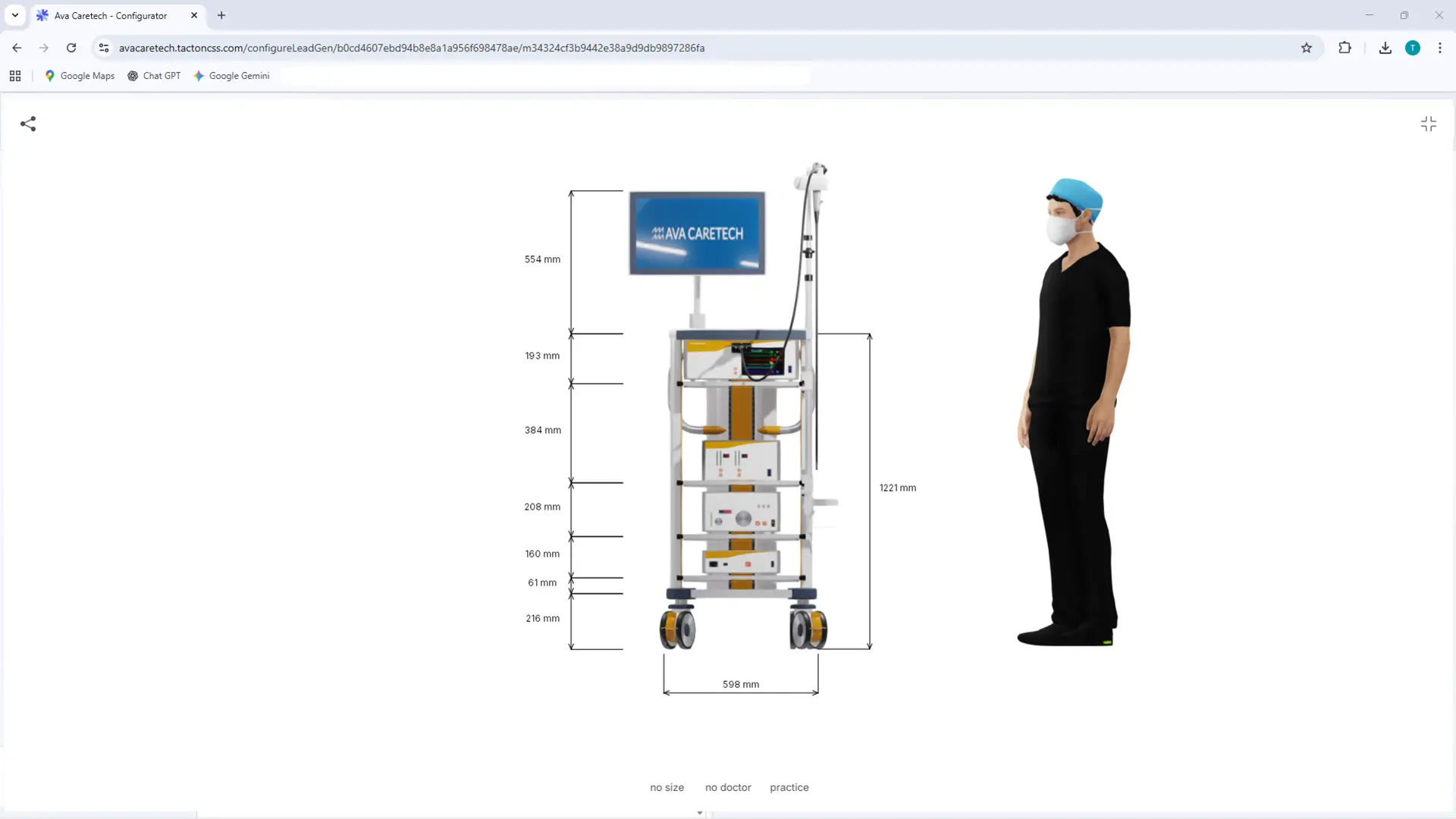
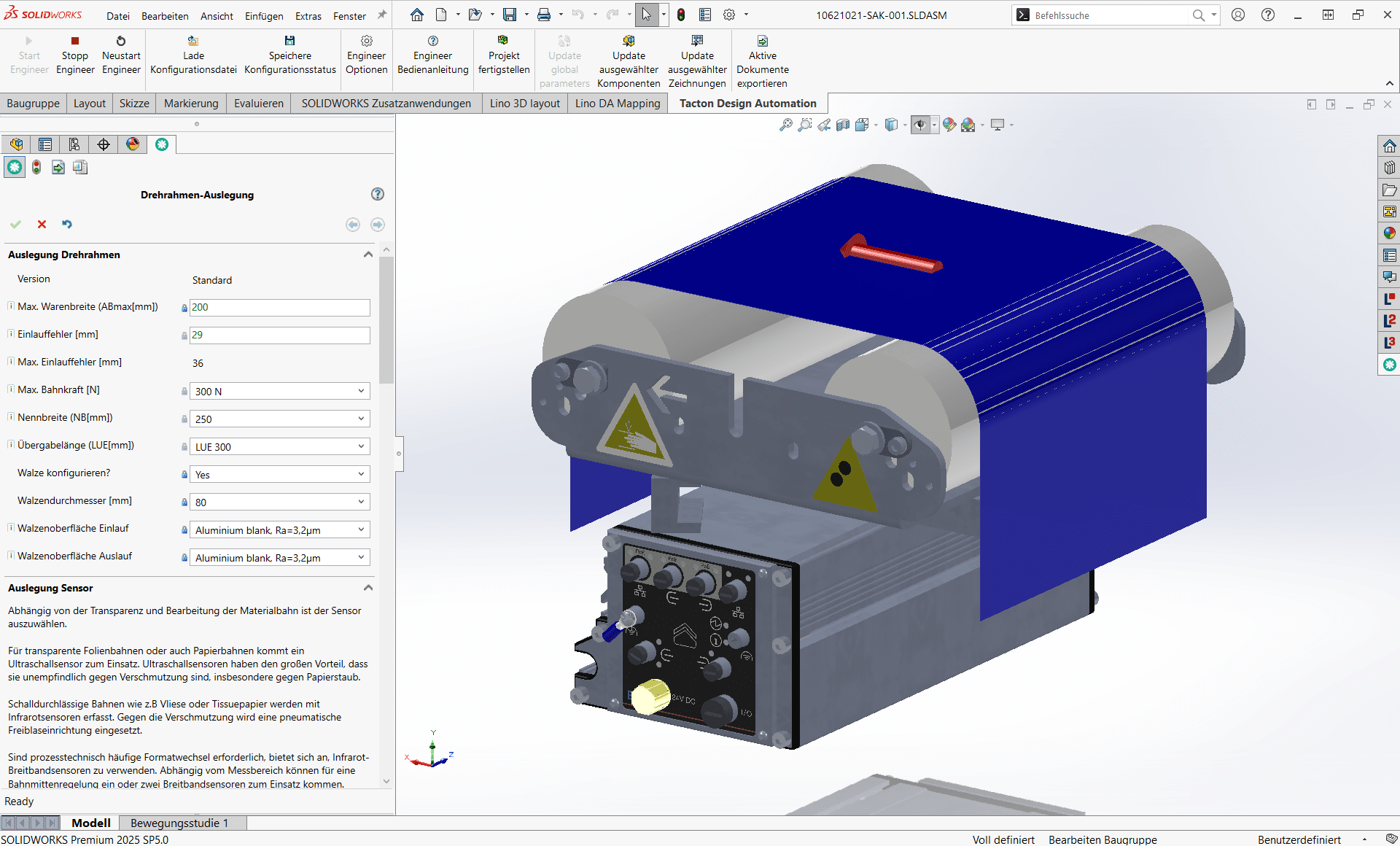
Tacton Design Automation
Transforms expert knowledge into intelligent rules to automatically generate complex 3D models, drawings, and bill of materials—saving up to 90% of engineering time.
Lino® Hub
Seamlessly connects sales, engineering, and manufacturing for end-to-end digital processes.
Seamlessly integrates CPQ, CAD, ERP, and PDM for error-free, automated data flows without media breaks.
Lino® Automate
Transforms routine CAD tasks into fully automated workflows using intelligent action lists and seamlessly integrates them with PDM, PLM, or ERP systems—for maximum time savings.
Relevant Processes
The digital engineering processes supported by Lino connect system integration, configuration, and automation into a seamless value chain – from the first customer contact through to the finished machine system.
Design Automation for Rapid Product Development
Optimize your design process with Design Automation and CAD automation. Product rules automatically generate 3D CAD models, 2D drawings, and bills of materials. This accelerates engineering processes, reduces errors, and significantly decreases routine engineering tasks.
Product Configuration for Individual Customer Solutions
Master product variety with a product configurator and CPQ system. Using rule-based variant configuration and guided selling, sales teams, partners, and customers create technically valid product variants, quotes, and configuration data – directly integrated into CAD and ERP systems.
System Integration for a Seamless Corporate IT Landscape
Connect your IT systems into a continuous data chain. Through system integration in mechanical engineering, CAD, ERP, CRM, and PDM/PLM systems are seamlessly linked. This creates a consistent digital thread along the entire product lifecycle.
Process Automation for Seamless Digital Workflows in Mechanical Engineering
Workflow and process automation connects engineering systems into seamless digital workflows. Automated workflows handle recurring tasks, reduce manual steps, and ensure consistent data between CAD, PDM, ERP, and CRM.
Generating Technical Drawings Automatically
Create technical drawings automatically from 3D CAD models. Drawing automation generates standards-compliant manufacturing documentation, automatically adjusts layouts, and reduces manual rework after model changes.
Together we analyze your existing processes and identify concrete potential for more efficient, digital workflows – practical, structured, and with a clear focus on measurable benefits.
- Analysis of your engineering and sales processes
- Identification of optimization potential
- Clear roadmap for your digital transformation
See for yourself

Frequently Asked Questions
Knowledge base on engineering automation in mechanical engineering.
Here you will find answers on the end-to-end automation of design, configuration, and quotation in custom and series machinery. Learn how Lino uses design automation, CPQ, system integration, and automated manufacturing documentation to master variant complexity, shorten lead times, reduce errors in bills of materials and drawings, and eliminate system breaks between CAD, PDM, and ERP – delivering measurable efficiency from initial customer contact to production.
What does engineering automation mean in mechanical engineering?
Engineering automation in mechanical engineering refers to the end-to-end digitalization and rule-based automation of all engineering processes – from quote configuration through design to manufacturing documentation. Product knowledge is captured in a central rule base from which CPQ configurations, 3D CAD models, manufacturing drawings, and bills of materials are generated automatically. Machine builders thus master variant complexity, shorten lead times, and ensure a consistent data foundation across CAD, PDM, ERP, and CRM.
How does design automation address variant proliferation in mechanical engineering?
Hundreds of machine variants with individual dimensions, options, and assemblies lead to repetitive design adjustments and capacity bottlenecks in engineering. With design automation, CAD models, drawings, and bills of materials are generated rule-based from technical and commercial parameters – every variant validated, production-ready, and without manual modeling. As a result, design time for standard variants is reduced by up to 70 percent, and design engineers gain time for genuine engineering work instead of routine tasks.
How does a CPQ system shorten quotation cycles for custom and series machinery?
Long quotation cycles typically result from back-and-forth between sales, engineering, and costing. A CPQ system with constraint-based configuration and guided selling leads sales directly to technically valid machine variants – including real-time pricing and automated bill-of-materials handover to the ERP. Reliable quotes are generated in hours instead of weeks, even for time-critical tenders. Lead times are typically reduced by around 50 percent, without tying up engineering resources.
How does engineering automation reduce errors in bills of materials and manufacturing drawings?
Manual variant design tends to introduce errors into bills of materials, drawings, and documentation – resulting in incorrectly ordered parts, manufacturing drawings that deviate from the 3D model, and costly rework. Rule-based generation of 3D models, drawings, and bills of materials from a single source of truth automatically produces consistent, production-ready documents. Each variant is validated against the stored rule base, so invalid combinations cannot occur in the first place. In practice, errors in order processing are reduced by at least 30 percent.
How does system integration eliminate the gaps between CAD, PDM, and ERP in mechanical engineering?
System breaks between the CAD system, product data management, and ERP lead to inconsistencies, version conflicts, and duplicate work – especially when changes have to be propagated across several systems. End-to-end system integration connects configuration, CAD, and order data via standardized interfaces and data models. Bills of materials, item master data, and technical specifications are synchronized automatically between the systems. This creates a consistent digital thread from initial customer contact to delivery – with no media breaks and no duplicate data maintenance.
What measurable results do machine builders achieve through engineering automation?
Machine builders that automate configuration, design, and system integration end-to-end achieve clearly measurable results: around 50 percent shorter lead times and faster quotes, at least 30 percent fewer errors in order processing, and up to 70 percent less design time for standard variants. On top of this come qualitative effects such as higher data quality, relieved engineering teams, and increased customer satisfaction. With standardized integration building blocks, productive value per use case is typically achieved in less than 30 days.
Mechanical engineering thought digitally means integrating all processes – from design and configuration to production – into a seamless, digital workflow with Lino.