The Problem Starts With the Quotation
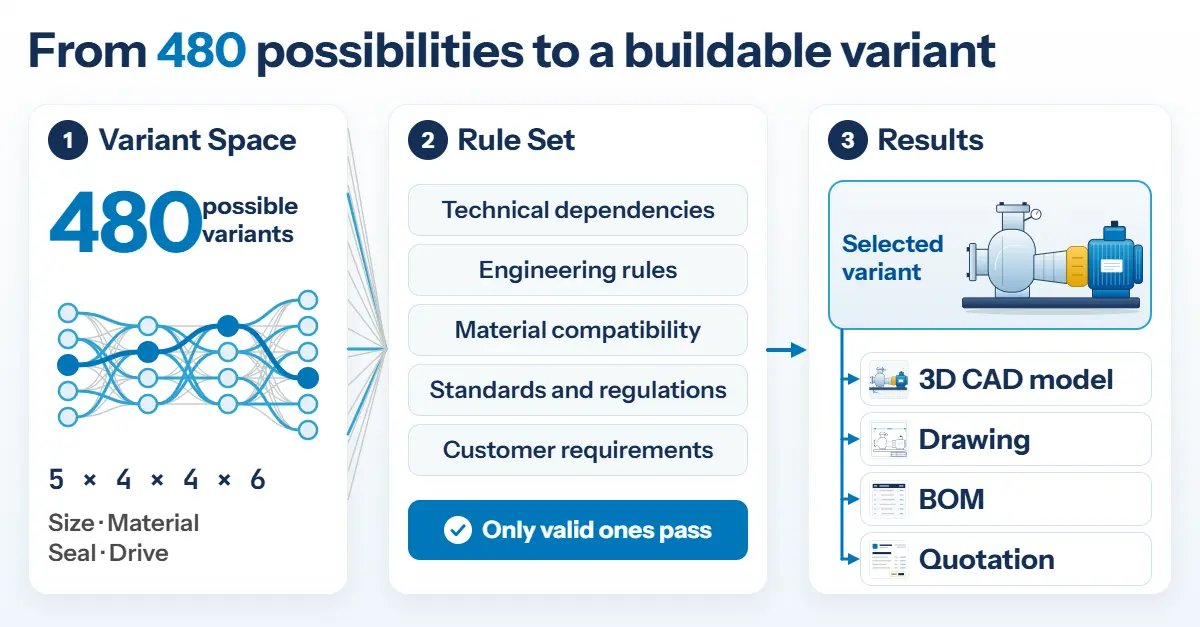
A pump manufacturer offers 8 sizes, 5 materials, 4 seal types and 3 drives. Mathematically, that makes 8 × 5 × 4 × 3 = 480 variants – before connection dimensions, motor voltages or certificates are added. No sales representative can keep track of that many combinations. They ask Engineering: does this seal work with this material? The answer takes time, the quotation is delayed, and occasionally an invalid combination goes unnoticed until Design opens the order.
Knowledge That Leaves With the Experts
Behind these queries lies a second problem. Which seal fits which material is rarely documented in full. It sits in the heads of a few design engineers who have accompanied the product range for decades. When they retire or change employer, the knowledge of why a combination is excluded, and which special solution was created for which customer, leaves with them. Successors reconstruct it from old drawings and orders – slowly, and with the risk that errors only surface in operation. In the pump example, it is enough for two people to know the rules for seals and materials: if one of them leaves the company, a single point of contact remains for 480 variants.
What Product Configuration Delivers
Product configuration stores product knowledge as rules: technical dependencies (“seal type C only up to 16 bar”), commercial requirements and pricing logic. A rule set checks every selection in real time and offers only valid combinations. In constraint-based configuration, the user defines requirements and the engine narrows down the remaining options accordingly.
With guided selling, the customer states their need, such as the required flow rate. The system derives the suitable variant from it (needs-based configuration). Sales no longer works with catalogues but with a guided selection.
At the same time, experience becomes a company asset: the rule set remains when an expert leaves, and new colleagues can access it from day one. Anyone who formulates a rule must also justify it – and in doing so, assumptions come to light that nobody has ever checked.
From Configuration to CAD, Bill of Materials and Quotation
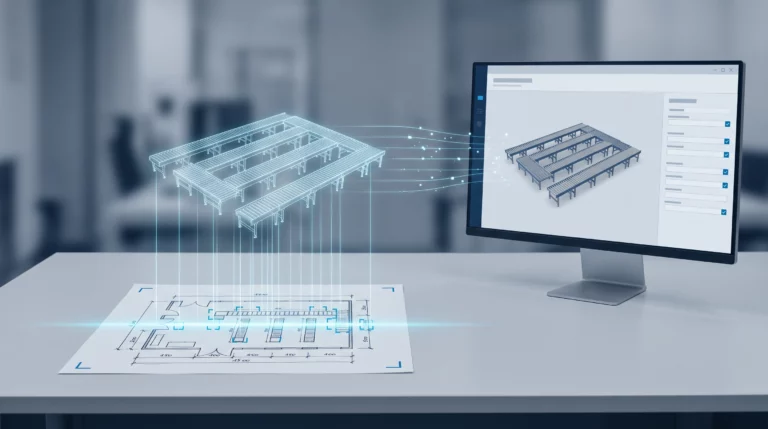
A configuration only creates value when documents result from it. This is where Lino Hub CAD Automation comes in: the module translates the configuration results generated in sales directly into CAD commands. From the selected parameters, 3D models, drawings and bills of materials can be derived rule-based – in the pump example, for each of the 480 variants.
This is possible because Lino Hub acts as middleware, managing the product data of parametric CAD models centrally and making it available to both Sales and Design. Data exchange with PDM, PLM and ERP runs in both directions, so data flows from quotation to production without media breaks. This does not replace design work itself. What disappears is the recurring derivation of models, drawings and bills of materials from decisions that have already been made.
Suitable for Special-Purpose Machinery, Too
Product configuration does not require defining a product 100 %. In the CTO(+) approach, companies combine configure-to-order and engineering-to-order: 90 % of the product knowledge sits in the rule set, while design engineers work out the last 10 % of special adaptations manually in CAD. This leaves room for customer-specific solutions without every quotation starting from zero.
How to Get Started
Three steps have proven effective:
- Capture rules: Experts document the dependencies of a single product family, not of the entire range. Those who will leave soon come first.
- Validate the rule set: Existing orders serve as test cases. The rule set must reproduce them correctly.
- Connect the results: Configuration, CAD generation and ERP are connected step by step.