


Lino Hub 3D Layout
3D Layout Planning on the Web
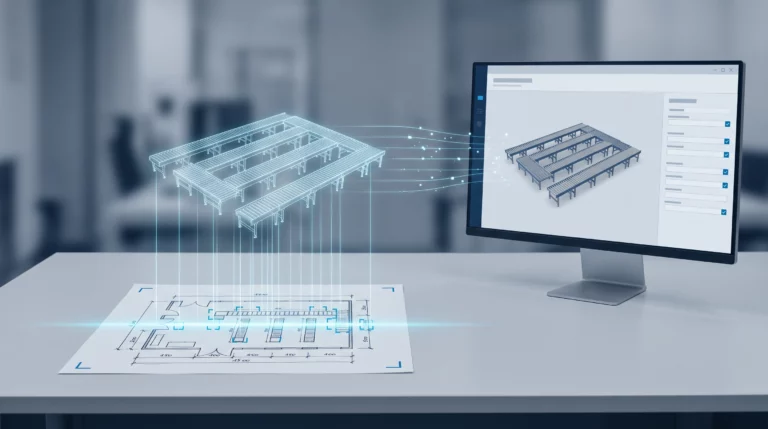
With Lino Hub, 3D layout projects can be created with high performance and configured dynamically. The software is aimed in particular at sales and project engineers and enables intuitive planning and visualization of plant layouts without a dedicated CAD system.
Changes are visualized immediately in the 3D view, enabling fast and clear planning without CAD skills.
Lino Hub 3D Layout for High-Performance Layout Planning on the Web
This web-based application supports project planners and sales engineers in planning layouts. Every layout component exists as a digital twin in a 3D model library. Using drag-and-drop, the components can then be combined into system assemblies and complete factory layouts. Intuitive buttons control the SolidWorks toolbar directly via the API, enabling flexible configuration and precise positioning of components while they are being placed.
Decoupling layout planning from the CAD system makes efficient planning possible for the first time, even for large and complex 3D factory layouts: fast, high-performance and independent of the CAD workstation.
Videos on the Lino Hub Integration Platform: Engineering Automation at a Glance
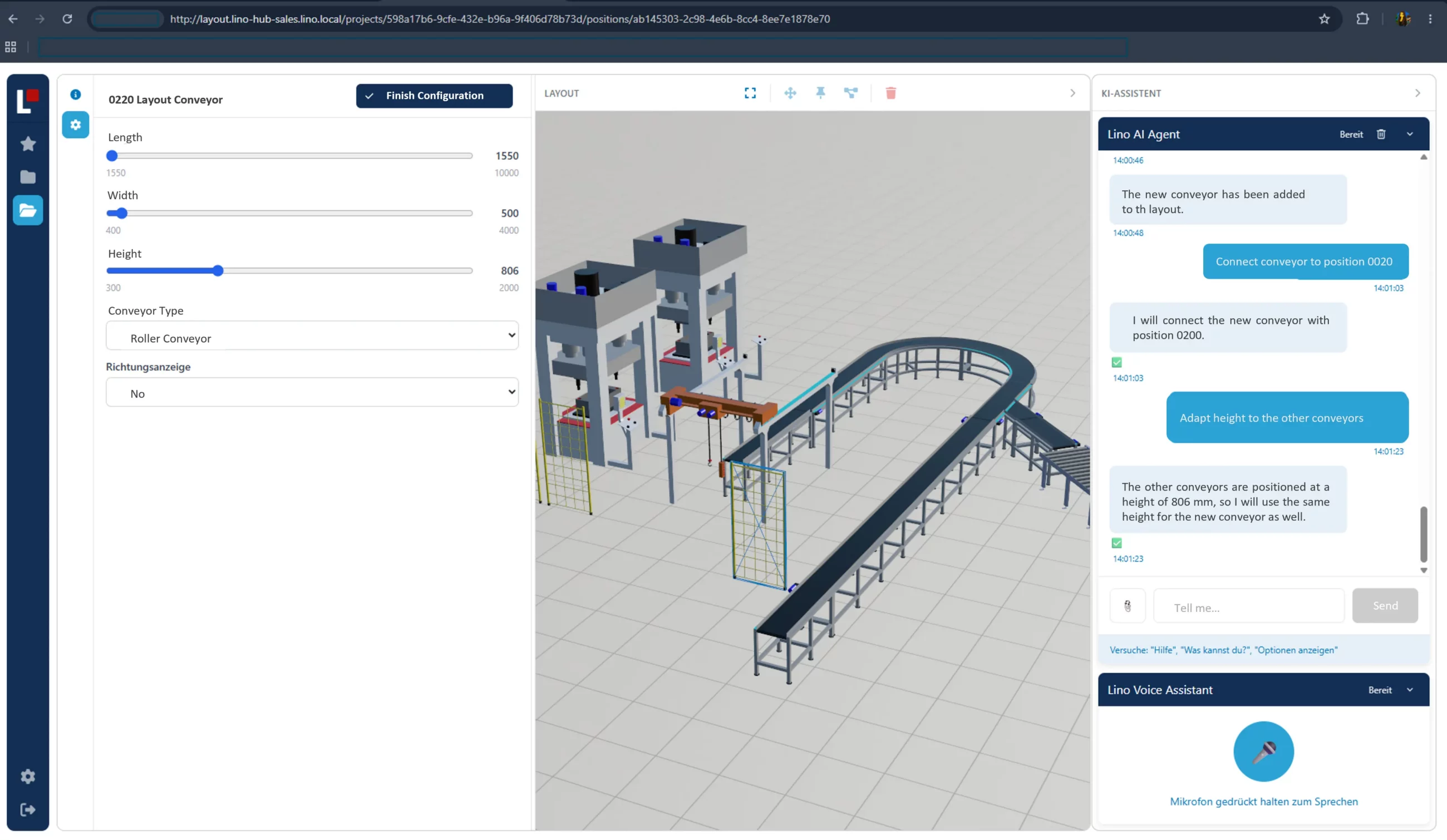
High-Performance Layout Planning in 3D
Thanks to a web-based, CAD-independent application with Lino Hub 3D Layout
Customers and sales staff can configure product variants online and see the effects in real time. To do so, the solution processes the logic and parametrics of your CAD data (e.g. from SolidWorks). Changes to dimensions, colors and materials are transferred directly to the 3D model and visualized in any front end. Thanks to state-of-the-art WebGL technology, Lino Hub 3D Web enables dynamic interaction with the product.
This ensures excellent performance on the web and at the same time protects your valuable company know-how from unauthorized access to design details.
User Experience Builds Trust in the Sales Process
Photorealistic Display of Layouts in All Dimensions
Lino Hub 3D Layout makes it possible to plan, configure and spatially visualize plants and machines realistically, directly in the browser – without complex CAD software. Customers get a clear impression of their individual solution already during the sales process and can grasp and easily follow their layouts in all dimensions. This builds mutual trust and contributes significantly to customer loyalty.
For sales, presenting complex products becomes much easier and more convincing, as solutions can be displayed interactively and clearly. Changes and variants can be implemented quickly, which massively accelerates the quotation process and reduces misunderstandings already at the planning stage.
This creates a consistent, visual basis for decision-making that builds trust and supports the entire sales process.
Benefits of Lino Hub 3D Layout
See for yourself, using your specific use case, how complex processes are simplified, systems are integrated and automation delivers measurable results.
- Practical demo with realistic use cases
- The next step for your digital transformation project
- Measurable benefits and ROI in record time

Lino Hub Plattform
Further Modules for End-to-End Automation
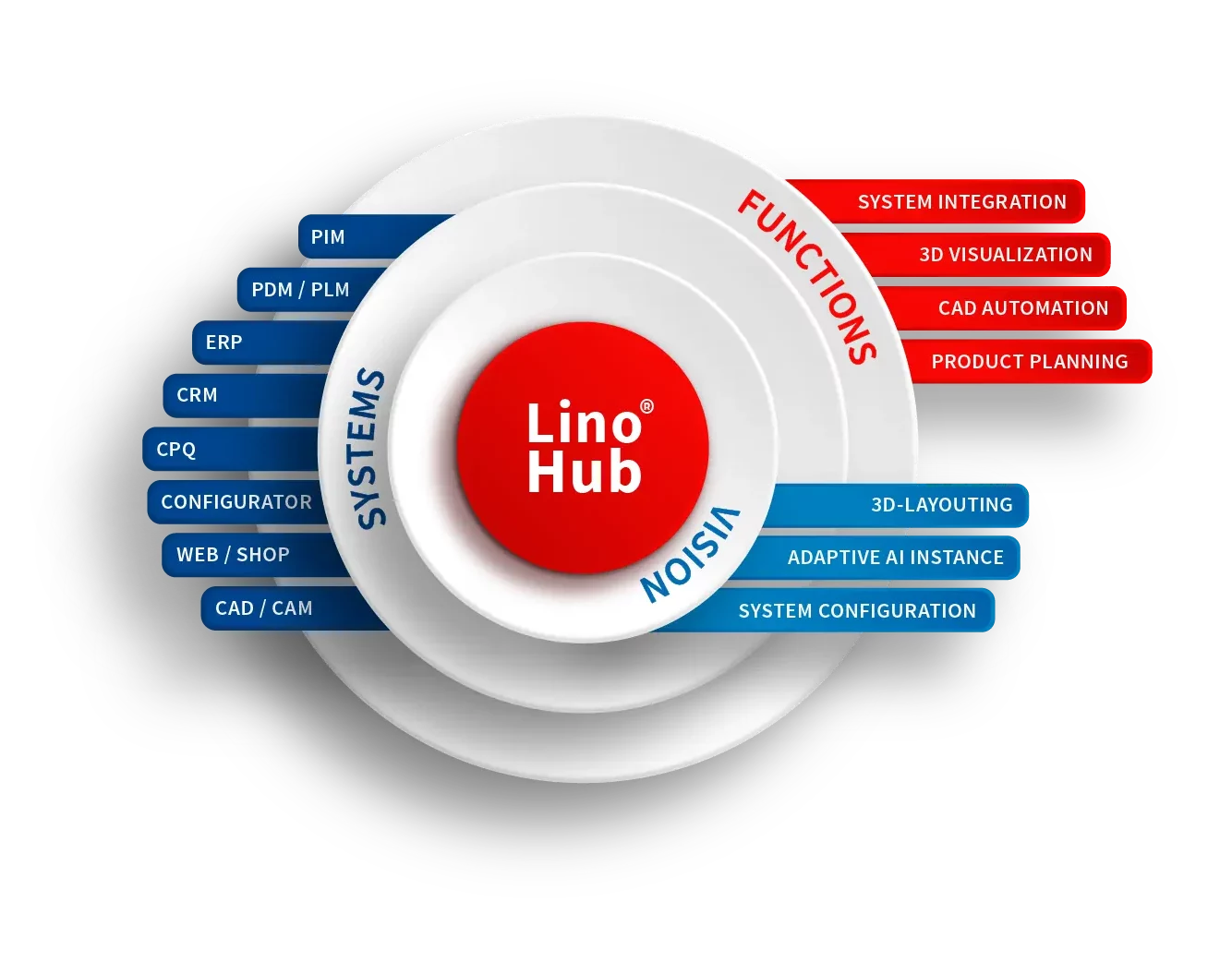
Lino Hub has a modular design and grows with your requirements. The following modules specifically complement CAD Automation with visualization, product planning and layout planning – seamlessly integrated into a central platform for end-to-end, automated processes.
3D web

Core

CAD Automation

Experience Product Configuration Firsthand
The following application demos show the Lino Hub in real-world use for sales and product configuration.
All examples are based on CAD data generation using Cosling Configurator in conjunction with the parametric 3D web visualization provided by Lino 3D web. True parametric CAD models enable the visualization of all variants during the configuration process—even for complex products.

Configure the throttle valve
This demo demonstrates the configuration of an industrial butterfly valve with real-time 3D visualization and automatic CAD data generation. All variants are displayed directly on the web and form the technical basis for downstream engineering and manufacturing processes.

Configure your pellet heating system interactively
In this demo, a pellet heating system is configured using rules and visualized parametrically in 3D. Changes to the configuration are immediately visible and are directly incorporated into the automated generation of CAD data—ideal for consulting and sales.

Hinged door configuration with CAD automation
The demo shows the configuration of a revolving door with a wide range of product variants and a direct 3D visualization in the browser. The underlying CAD models are generated automatically, ensuring consistent processing in the engineering department.
Customer Success
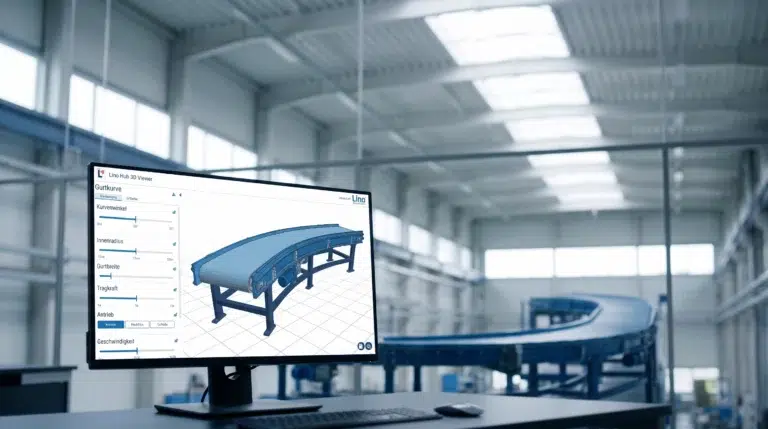
Conveyor Systems & Hoists: From Customer Request to PDM Release in One Hour
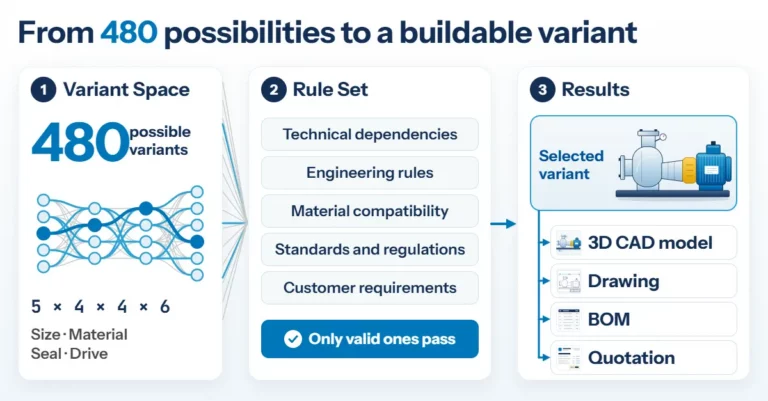
Product Configuration in Mechanical Engineering: How Rules Make Product Variety Manageable
Engineering AI: Why Customer Requirements No Longer Need to Be Retyped
Simply integrate. Intelligently automate.
Digital engineering processes for mechanical and plant engineering: Automate design, product configuration, and workflows; seamlessly integrate CAD, PDM, and ERP; and accelerate sales, planning, and manufacturing—efficiently, error-free, and with future-proof connectivity.
Häufige Fragen
Frequently Asked Questions on Web-Based 3D Layout Planning
This FAQ section explains how factory and plant layouts are planned and configured in the web browser with Lino Hub 3D Layout, independent of any CAD system.
Learn how quotation processes are accelerated, changes are implemented faster, and customers are convinced early on by the realistic 3D representation.
How does the photorealistic 3D representation of layouts build trust in the sales process?
Lino Hub 3D Layout displays plants and layouts realistically and in all dimensions. Customers grasp spatial relationships and dimensions much more easily than with complex technical drawings and can see their individual solution already during the sales process. This consistent, visual basis for decision-making builds mutual trust and contributes significantly to customer loyalty.
What advantages does Lino Hub 3D Layout offer in the quotation process and in sales?
The intuitive, CAD-independent layout creation ensures short lead times and an efficient, standardized quotation process. Changes and variants can be implemented quickly, which reduces misunderstandings already at the planning stage. Sales teams can present complex products interactively and clearly instead of relying on elaborate technical drawings. Companies thereby accelerate the sales process and can achieve a higher order volume.
Why is web-based, CAD-independent layout planning advantageous for large 3D factory layouts?
Large and complex 3D factory layouts quickly overwhelm conventional CAD workstations, as large assemblies and a high number of components cause performance to degrade massively. Even the smallest changes become almost impossible for the user to implement. Lino Hub 3D Layout decouples layout planning from the CAD system and thus enables efficient 3D layout planning for the first time: fast, high-performance, browser-based and independent of the CAD workstation.
How can factory layouts be assembled using drag-and-drop in Lino Hub 3D Layout?
Every layout component is available as a digital twin in a 3D model library. Users drag and drop the components into the view and combine them into system assemblies and complete factory layouts. Intuitive buttons control the SolidWorks toolbar directly via the API. This allows components to be flexibly configured and precisely positioned while they are being placed.
What is Lino Hub 3D Layout and who is the module designed for?
Lino Hub 3D Layout is the layout planning module of the Lino Hub integration platform. It enables high-performance planning and flexible, dynamic configuration of large factory and plant layouts directly in the web browser. The application is aimed primarily at sales and project engineers who want to create and visualize layouts without a CAD system. Changes are reflected immediately in the 3D view.