Lino Automate DB
The Intelligent Bridge to Your Enterprise Databases
Lino Automate DB connects engineering processes directly to enterprise databases. Master data, parameters, and project‑specific information are automatically read out, processed, and synchronized.
This creates consistent data flows between CAD, configuration, and backend systems. Manual data entry is eliminated, data quality and process reliability increase – an essential foundation for scalable automation in mechanical engineering.

Maximum Flexibility Through Seamless Database Integration Into Your CAD Automation
In modern design processes, data is the most valuable asset. Yet important master data, metadata, or project‑specific tables are often stored in isolated databases that must be maintained manually. This is where the Lino Automate DB module comes in: It acts as a universal, database‑independent interface that connects your CAD automation directly to your in‑house data sources.

Simply and without obligation, schedule an appointment for a consultation and convince yourself of Lino Automate DB.
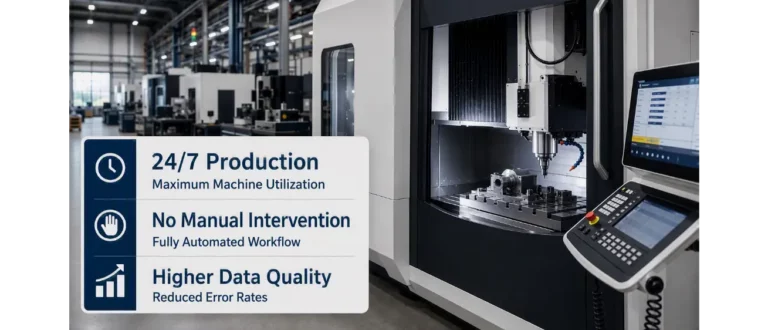
End of media breaks
With Lino Automate DB, manual data transfers are a thing of the past. The module enables information from any database tables to be read out automatically and integrated directly into the CAD process. At the same time, new data records can be created automatically based on your configuration results – without a single manual click.
Key Benefits of Lino Automate DB
Increase your efficiency and minimize sources of errors. Lino Automate DB gives you the freedom to use your databases as an active part of your automation strategy – for consistent processes from the first draft to the finished dataset.
Lino Automate Extensions
Modules for integration, automation and scaling.
Lino Automate’s extension options connect engineering, data, and systems into end-to-end digital processes.
Additional modules enable integration with PDM, ERP, and databases, enhance security, and scale automation on a server-based platform.
PDM

ERP

DB

Encryption

Server

Webinars
Register now for our free webinar or contact an expert for a personalized consultation.
Our webinars are intended exclusively for companies within our defined target audience.
See for yourself, using your specific use case, how complex processes are simplified, systems are integrated and automation delivers measurable results.
- Practical demo with realistic use cases
- The next step for your digital transformation project
- Measurable benefits and ROI in record time

Frequently Asked Questions
Knowledge base on master data integration, parametrics, and data harmonization.
This section answers questions on the structured integration of product databases into engineering and configuration processes.
You will learn how technical and commercial parameters are centrally managed and automatically synchronized.
What is Lino Automate DB?
Lino Automate DB is a module for directly connecting databases to automated CAD and engineering processes. It acts as a universal, database-independent interface and links master data, metadata, or project-specific tables with your design environment. This creates a consistent data foundation for medium-sized mechanical engineering companies – an important building block for Industry 4.0-capable processes.
Why is database integration important in mechanical engineering?
In mechanical engineering, critical information is often stored in separate databases. Without integration, this leads to media disruptions and manual transfer errors. Lino Automate DB enables automated, bidirectional data flows – directly from within the CAD process.
What types of data can be integrated?
Master data, material tables, parameter lists, or project-specific information can be read automatically and integrated into configuration or design processes. New records can also be created automatically.
How does Lino Automate DB support Industry 4.0 strategies?
Industry 4.0 relies on connected systems and consistent data. By directly linking databases to engineering processes, a continuous digital thread is created – from data capture through to manufacturing.
How do medium-sized companies benefit economically?
Eliminating manual data maintenance reduces errors, saves time, and improves data quality. Especially for medium-sized businesses with limited resources, automation generates clear efficiency gains.
How does Lino Automate DB improve data quality?
Because data are taken directly from central sources, no redundant copies are created. Consistent master data form the basis for error-free CAD and ERP processes.
Is the module tied to specific database systems?
No. The interface is designed generically and works with almost any common database system. Companies remain flexible in their IT strategy.
Can the module be combined with other integrations?
Yes. The DB module can be seamlessly combined with PDM or ERP integrations. This creates a fully networked process chain – from design through to production release.
For which companies is Lino Automate DB particularly suitable?
Medium-sized mechanical and plant engineering companies with complex product data and highly configurable designs benefit the most, especially when they want to actively integrate their databases into automated engineering processes.
Latest News
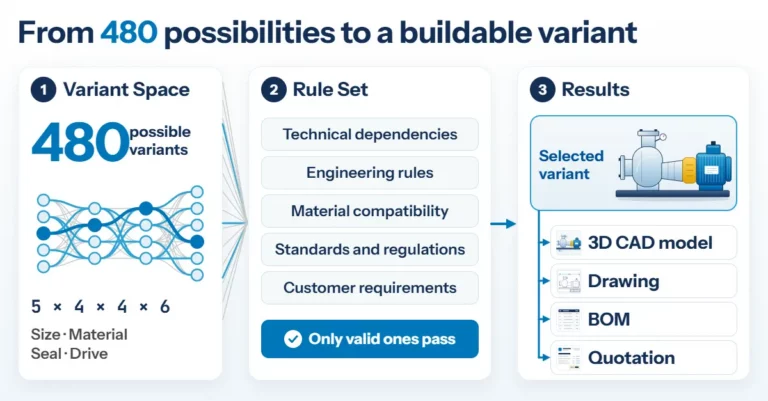
Product Configuration in Mechanical Engineering: How Rules Make Product Variety Manageable
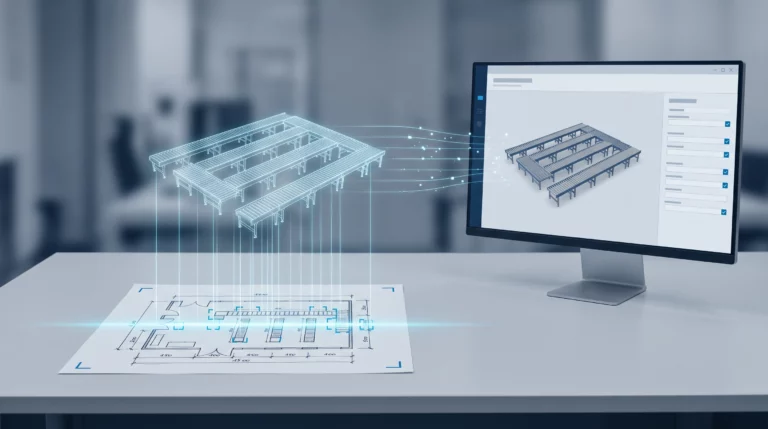
Engineering AI: Why Customer Requirements No Longer Need to Be Retyped