Lino Automate PDM
The Bridge between Design Automation and PDM.
Lino Automate PDM connects automated design processes directly to your PDM or PLM system. CAD data, assemblies, and documents are systematically checked, versioned, and stored in a traceable, audit‑compliant manner.
Avoid duplicates, ensure consistent data sets, and seamlessly integrate design automation into existing engineering and product data processes in mechanical engineering.

Maximize the Value of Your Design Automation Through Seamless Integration Into Your PDM/PLM Environment.
When products are configured with Tacton Design Automation, a large number of new CAD data sets are often created. Without the right strategy, this quickly leads to an overloaded PDM system and unnecessary duplicates. This is where the Lino Automate PDM module comes in: it connects your configuration solution directly to your product data management and ensures lean, consistent data sets.

Easily and without obligation, schedule a meeting for a consultation and see for yourself the benefits of Lino Automate PDM.
Intelligently Configured, Securely Stored With Full Traceability.
The PDM module automates the entire process—from material‑number assignment through to final check‑in. Instead of manually naming files and maintaining metadata, Lino Automate handles all of this with just a single click.
Seamless Connectivity
Lino Automate PDM provides ready‑made adapters for leading product data management systems such as SolidWorks PDM, PRO.FILE, keytech PLM, and SAP PLM. Additional integrations are available on request.
Key Benefits of Lino Automate PDM
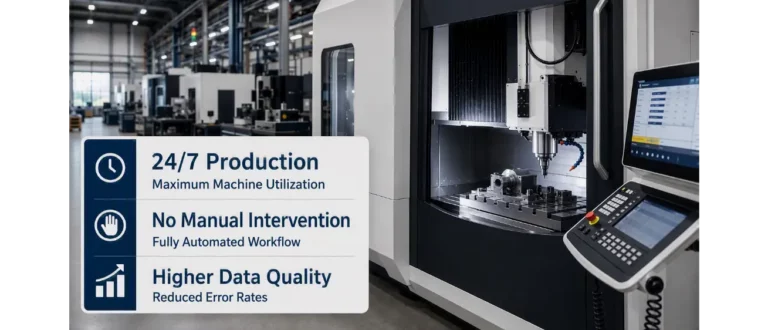
Free your design engineers from routine tasks and rely on an end‑to‑end process from configuration through to production.
Webinars
Register now for our free webinar or contact an expert for a personalized consultation.
Our webinars are intended exclusively for companies within our defined target audience.
Lino Automate Extensions
Modules for integration, automation and scaling.
Lino Automate’s extension options connect engineering, data, and systems into end-to-end digital processes.
Additional modules enable integration with PDM, ERP, and databases, enhance security, and scale automation on a server-based platform.
PDM

ERP

DB

Encryption

Server

See for yourself, using your specific use case, how complex processes are simplified, systems are integrated and automation delivers measurable results.
- Practical demo with realistic use cases
- The next step for your digital transformation project
- Measurable benefits and ROI in record time

Frequently asked questions
Knowledge base on versioning, document management, and CAD data control.
This FAQ section explains how CAD data is automatically transferred into PDM systems, classified, and versioned.
In particular for highly variant‑rich products, the integration ensures structured data storage, traceable change states, and maximum process reliability.
What is Lino Automate PDM?
Lino Automate PDM is an integration module that connects manual or automated design processes directly to your PDM/PLM system. Especially in medium-sized mechanical engineering, it ensures that CAD data from configuration are stored in a revision-safe, duplicate-free, and structured manner without manual intervention – a central building block for Industry 4.0-ready data processes.
Why is PDM integration crucial for Industry 4.0?
Industry 4.0 relies on continuous, consistent data. When configuration-based CAD models are integrated automatically into the PDM system, a seamless digital thread is created. Media disruptions, manual file storage, and inconsistent versions are avoided.
How does Lino Automate PDM prevent duplicate entries in the data set?
The system performs parametric checks to determine whether identical components already exist. Instead of creating parts multiple times, existing components—including their drawings—are reused. This keeps PDM systems lean, reduces data clutter, and improves data quality.
How do medium-sized companies benefit economically?
Automated one-click workflows replace manual checking, naming, and filing steps. This saves time, reduces errors, and relieves design engineers of routine tasks—resulting in a clear gain in efficiency, especially as product variant diversity continues to grow.
How does automatic document creation work?
CAD designs are automatically created in the PDM system. In this process, item numbers and metadata are taken directly from the PDM system and applied accordingly. Classifications are derived from the CAD components and transferred to the PDM system during creation. Files are automatically named correctly, checked in, and released right away. This ensures standardized, revision-safe data structures without any manual intervention.
Können große Variantenmengen effizient verarbeitet werden?
Ja. Im Batch-Modus lassen sich umfangreiche Variantenpakete automatisiert prüfen, anlegen und im PDM-System einchecken. Das ist besonders für Serienvarianten oder kundenindividuelle Projekte relevant.
Which systems can be connected?
Yes. In batch mode, large variant packages can be checked, created, and checked into the PDM system automatically. This is particularly important for series variants or customer-specific projects.
Are special IT skills required?
No. Automation is controlled via defined workflows and action lists. This enables medium-sized companies without a large IT department to professionalize their PDM processes.
Latest News
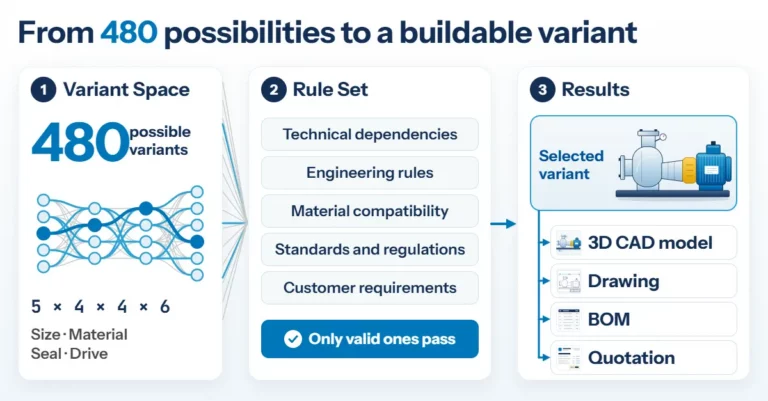
Product Configuration in Mechanical Engineering: How Rules Make Product Variety Manageable
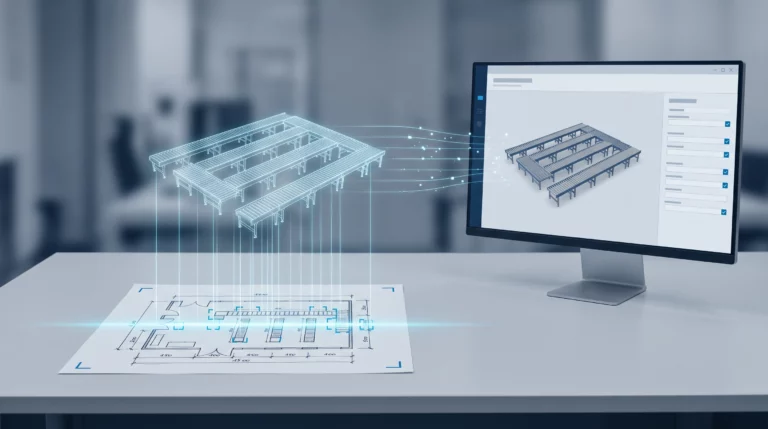
Engineering AI: Why Customer Requirements No Longer Need to Be Retyped