Lino Automate ERP
The Bridge between Engineering and Business
Lino Automate ERP connects automated engineering and configuration processes directly to your ERP system. Item master data, bills of materials, and documents are automatically transferred and consistently maintained.
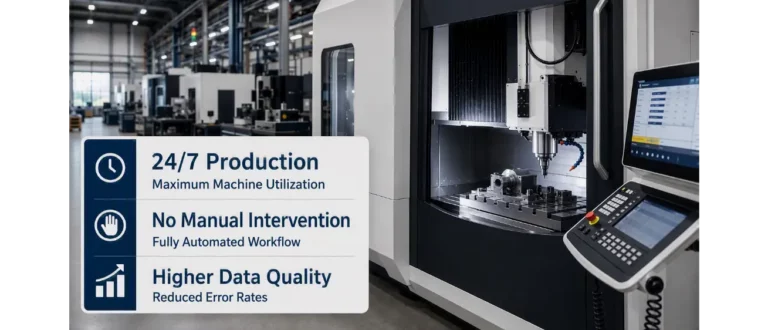
This creates end‑to‑end data flows from the CAD model through design to production planning—without manual interventions or media breaks. This increases data quality, reduces errors, and accelerates order processes.

Maximum Efficiency Through Automated Data Integration
In modern manufacturing companies, the seamless connection between design and resource planning is the key to success. The Lino Automate ERP module closes the gap between your CAD system (especially SolidWorks) and your ERP environment. No more manual data entry, data‑transfer errors, or media breaks.

Easily and without obligation, schedule a meeting for a consultation and become convinced of Lino® Automate.
Intelligent Data Transfer Without Compromises
Lino Automate ERP takes over the automated creation and synchronization of your master data. Directly from your CAD process, item master data, complex bills of materials, routings, and the associated documents are stored in the ERP system. Whether triggered manually or as an integral part of your PDM/PLM release process, you always retain full control.
Future-Proof Through Industrial Standards
The integration is realized via a scalable web service that meets the highest industrial standards. This creates transparency in your business processes and frees up valuable resources in engineering for what really matters: innovation.
Key Benefits of Lino Automate ERP
Bring your engineering and ERP systems together – with Lino Automate.
Lino Automate Extensions
Modules for integration, automation and scaling.
Lino Automate’s extension options connect engineering, data, and systems into end-to-end digital processes.
Additional modules enable integration with PDM, ERP, and databases, enhance security, and scale automation on a server-based platform.
PDM

ERP

DB

Encryption

Server

Webinars
Register now for our free webinar or contact an expert for a personalized consultation.
Our webinars are intended exclusively for companies within our defined target audience.
See for yourself, using your specific use case, how complex processes are simplified, systems are integrated and automation delivers measurable results.
- Practical demo with realistic use cases
- The next step for your digital transformation project
- Measurable benefits and ROI in record time

Frequently Asked Questions
Knowledge base on bills of materials transfer, production data, and process coupling.
Here you will learn how configuration and design data are automatically transferred to ERP systems.
In mechanical engineering this enables a seamless handover of quotations, bills of materials and production information – for faster order processing and reduced error rates.
What is Lino Automate ERP?
Lino Automate ERP connects engineering and CAD processes directly to your ERP system. Item master data, bills of materials, routings, and documents are transferred automatically from the CAD environment into the ERP system. This creates an end-to-end data chain for medium-sized manufacturing companies – without manual transfer or media disruptions.
Why is ERP integration critical for Industry 4.0?
Industry 4.0 is based on networked systems and consistent data. When CAD and configuration data flow automatically into the ERP system, a digital thread is created from quotation through to production. As a result, processes become more transparent, faster, and scalable.
Which data is transferred automatically to the ERP system?
Directly from the CAD process, material master data, complex bills of materials, routing information, and related documents can be created or synchronized in the ERP system. This eliminates the need for duplicate data entry.
How do medium-sized companies benefit economically?
Eliminating manual data entry significantly reduces error rates. At the same time, lead times between design, purchasing, and production are shortened. Especially in medium-sized businesses, this leads to measurable efficiency gains.
How is data quality ensured?
Automated data transfers prevent typing errors and inconsistencies. Data is stored in the ERP system in a revision-safe and reproducible manner—an important factor for quality management and compliance.
Welche ERP-Systeme können angebunden werden?
Die Integration erfolgt über skalierbare Web-Services und unterstützt zahlreiche gängige ERP-Systeme wie SAP, Microsoft Dynamics, Sage, ABAS, Infor oder ProAlpha. Weitere Anbindungen sind möglich.
How flexible is the solution in day-to-day operations?
The ERP integration can be triggered manually or embedded into existing PDM/PLM release processes. This allows companies to retain full control over their workflows.
How does Lino Automate ERP support growing companies?
Thanks to its scalable architecture and industrial standards, the solution grows alongside increasing product variety and rising project complexity. This makes it particularly attractive for medium-sized companies in a growth phase.
For which companies is Lino Automate ERP particularly suitable?
Mechanical and plant engineering companies with highly configurable products benefit the most from automated connectivity between engineering and ERP. As soon as data must be maintained multiple times, automation delivers clear competitive advantages.
Latest News
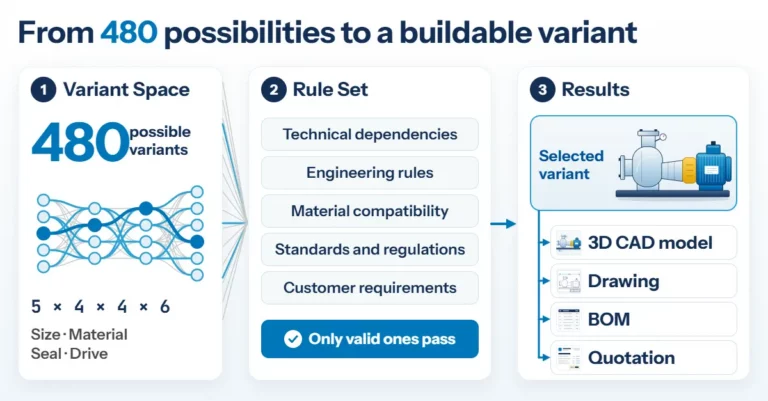
Product Configuration in Mechanical Engineering: How Rules Make Product Variety Manageable
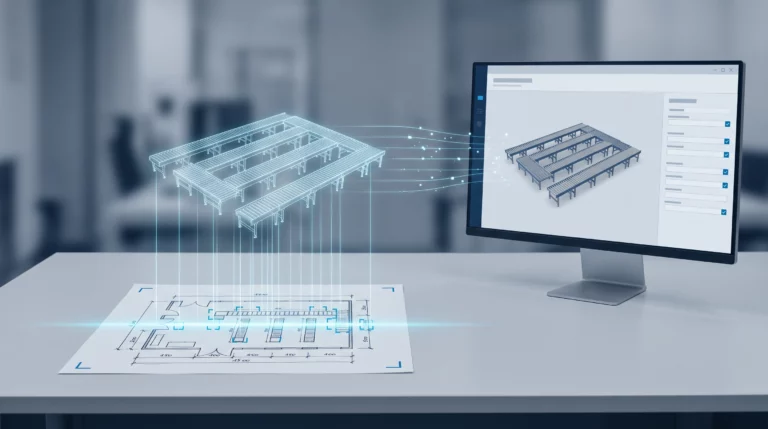
Engineering AI: Why Customer Requirements No Longer Need to Be Retyped